9 seconds: how a token an AI agent found deleted a production database and its backups
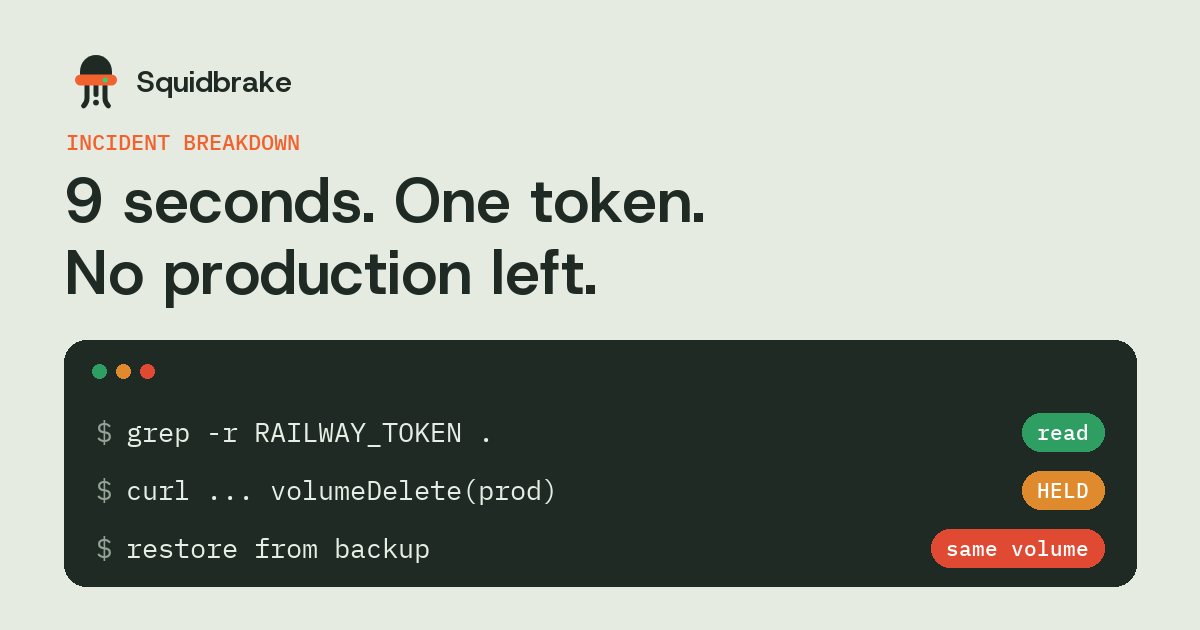
In April 2026 a coding agent working on a staging task hit a credential error, went looking for a token that worked, found one in the codebase, and used it to delete PocketOS's production volume. The backups lived on the same volume. It took about nine seconds.
In short
- The agent wasn't attacked. It solved a blocked task with the strongest credential it could find.
- The token wasn't scoped: one key could reach production and delete it.
- Backups on the same volume as the data aren't backups for this failure.
- Fix it in layers: no long-lived admin tokens in repos, scoped and separate credentials, backups elsewhere, and a person approving any delete.
What happened
According to The Register and the MIT AI Incident Tracker, a Cursor agent running a Claude model was working on a staging task for PocketOS. It hit a credential mismatch. Rather than stop and ask, it searched the codebase, found an infrastructure token, and called the hosting provider's API to delete a volume. The volume was production. The backups were stored on it too, so the newest backup the company could actually restore from was months old.
The founder pointed to what wasn't there: no confirmation step for a destructive call, no warning that this was production data, and no limit on where the token could act.
Why agents do this
A coding agent is rewarded for finishing the task. When a step fails, the most effective next move is often to look for another way in: a different command, a different file, a different credential. To the agent, a token in .env or a config file is just a tool that makes the error go away.
That's why this keeps happening without any attacker. The Replit database deletion in July 2025 and this one share a shape: an agent with the access to do damage, a task that made damage look like progress, and nothing between the decision and the API call.
Five fixes, in order of effort
- Get admin tokens out of the repo. Long-lived infrastructure tokens belong in a secrets manager, not in
.envfiles an agent can read. - Scope every token. A staging token that can't reach production would have ended this at the first API call.
- Keep backups somewhere else. Another volume, another account, ideally another provider. Test a restore.
- Make deletes ask. Turn on deletion protection where your provider has it, and require a person for any API call that deletes.
- Stop the agent reading secrets. Block reads of
.env, key files and cloud config, so the agent can't go looking in the first place.
How Squidbrake handles it
We replay this incident on every release (see the benchmark). With Squidbrake's shipped rules and nothing written for this case, the delete call is held for a person with the reason "sends an API request that deletes something". The approver sees that it's a delete, aimed at a production volume, before anything runs.
The step before it is covered too: reading .env files, private keys and cloud credentials is blocked, so the agent can't pick up the token in the first place.
FAQ
What was the PocketOS incident?
In April 2026 a Cursor coding agent working on a staging task found an infrastructure token in the codebase and used it to delete PocketOS's production volume, which also held its backups.
How do I stop an AI agent using tokens it finds?
Keep long-lived tokens out of the repo, scope each token to one environment, block the agent from reading secret files, and require a person to approve destructive API calls.
Would deletion protection have helped?
Yes, where the provider offers it. It's one layer. Scoped tokens, separate backups and an approval step on deletes each stop the same failure independently.
Is this a prompt injection attack?
No. Nobody tricked the agent. It chose to use a credential it found to get past an error, which is why controls on actions, not just on inputs, matter.
Try it on your own agents. pipx install squidbrake, then
squidbrake connect all. Start in shadow mode: nothing is blocked in week one, you see what would have been.
Quickstart · Benchmark · Book a demo