AI agent kill switch: how to stop a runaway agent, and what to set up before you need one
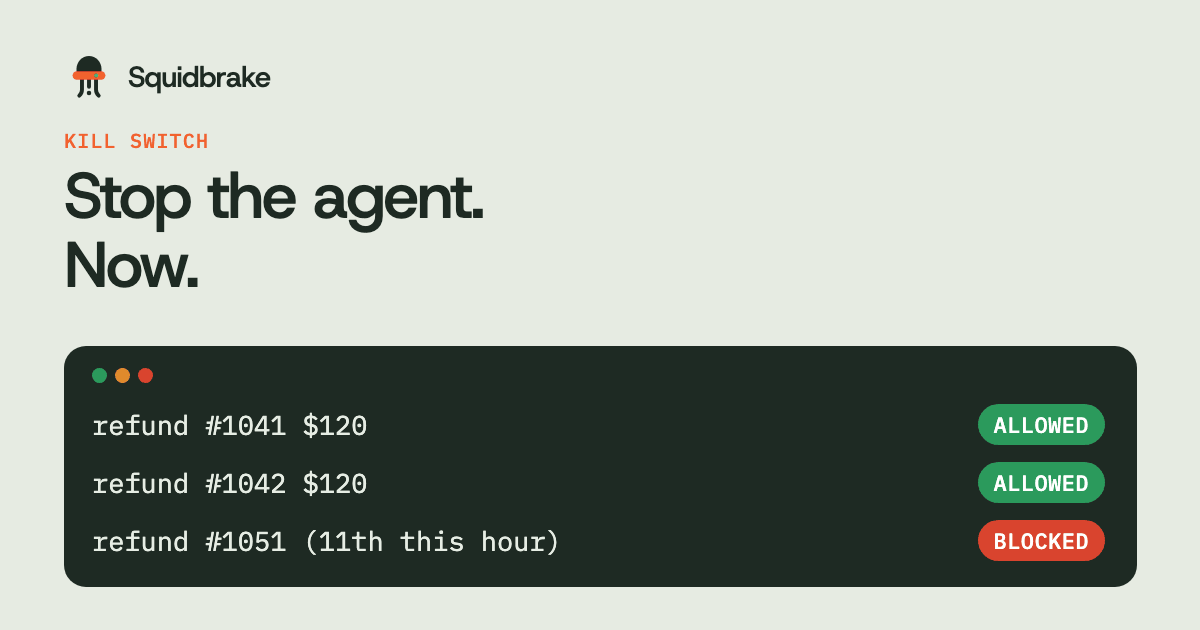
Agents don't get tired, so when they go wrong they keep going: retrying a refund, looping on a failing deploy, burning a month's tokens overnight. The time to work out how to stop one is before it starts. Here's what to do in the moment, and the four controls to have ready.
In short
- In the moment: interrupt the agent, then revoke its token. The token is the stop that works whatever the agent does next.
- Set up beforehand: a kill switch scoped to one agent, one conversation or all of them.
- Add circuit breakers (too many of the same action in an hour) and spend limits (tokens or dollars a day).
- The stop must live outside the agent, where the agent can't undo it.
What a runaway agent looks like
- Loops: the same refund, email or API call, again and again, because the agent never saw the success.
- Retries after a no: a person rejects a force push, and the agent tries a different spelling of it.
- Budget burn: a stuck agent or scheduled job spends tokens all night.
- Widening damage: deleting one folder, then its parent, while "cleaning up".
Stopping it right now
- Interrupt the agent. In Claude Code, press Esc; in most terminal agents, Ctrl+C. For a background or hosted agent, stop the worker or set its replicas to zero.
- Revoke its credentials. Rotate the API key or token it uses. This stops it even if something restarts it.
- Stop the trigger. Disable the cron job, webhook or queue consumer that keeps starting it.
- Freeze, don't fix. Don't ask the same agent to repair what it broke until you know what happened.
Four controls to set up beforehand
- A scoped kill switch. Stop one agent, one conversation, or every agent, from a dashboard or your phone, without finding a terminal.
- Circuit breakers on actions. A limit on how many times an action can run in a window: more than 10 refunds in an hour, more than 50 deletes in a session. Past it, the action stops or waits for a person.
- Spend limits. Pause an agent after a set number of tokens or dollars a day.
- A stop outside the agent. If the agent can read the kill switch's config, or call the API that turns it off, it isn't a kill switch.
Afterwards: what to check
- The record: every action the agent took, in order, and which were allowed by which rule. See audit trails for AI agents.
- Undo: restore deleted files or rows from copies taken before the actions ran.
- Credentials: rotate anything the agent read or printed.
- A rule: turn the incident into a rule that would have caught it, and run it in observe mode for a week.
How Squidbrake does it
Stop agents in the dashboard or on the phone page stops one agent, one conversation or all of them; phone notifications carry a Stop agent button. While an agent is stopped, its waiting approvals don't time out. The emergency stop is enforced even in observe mode. A circuit breaker is a sequence rule:
rules.yamlsequences:
- id: runaway-refunds
action: deny
reason: Too many refunds in a short time; the agent may be stuck in a loop
match: { name: ["*refund*"] }
count: { more_than: 10, within_hours: 1, scope: identity }
Spend limits (budgets:) pause an agent once it has used N tokens or dollars in a day or month, and squidbrake undo restores what an approved delete removed.
FAQ
How do I stop an AI agent immediately?
Interrupt it (Esc or Ctrl+C for terminal agents, stop the worker for hosted ones), then revoke the token or API key it uses so it can't continue if restarted.
What is an AI agent kill switch?
A control outside the agent that stops one agent, one conversation or all of them at once, and that the agent itself can't turn off.
What is a circuit breaker for AI agents?
A limit on how often an action can run in a time window, such as more than 10 refunds in an hour. When the limit is passed the action is blocked or held for a person.
How do I limit what an AI agent spends?
Set a daily or monthly token or dollar limit per agent that pauses it when reached, and alert the owner.
Try it on your own agents. pipx install squidbrake, then
squidbrake connect all. Start in shadow mode: nothing is blocked in week one, you see what would have been.
Quickstart · Benchmark · Book a demo